
DaVinci Resolve 21.0.2 Update Out: No More Keyframe Glitches & Better NVIDIA Performance!
Meta Short Description (Under 160 characters): DaVinci Resolve 21.0.2 is here! Check out the key performance fixes, including NVIDIA H.264/H.265 decoding, keyframe copy-paste bugs, and Fusion layout fixes.
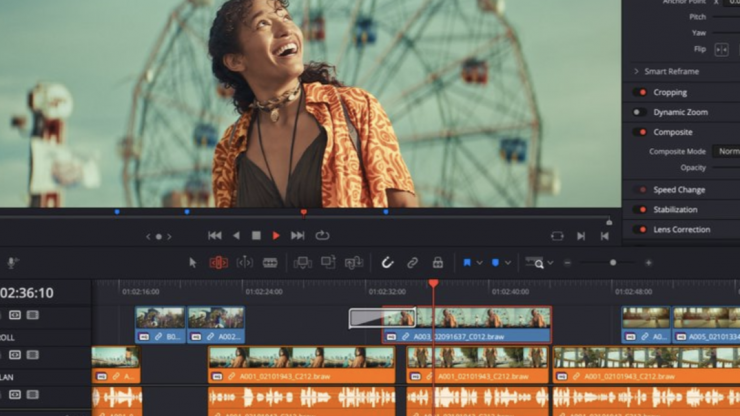
Blackmagic Design has officially rolled out a minor but crucial stability update: DaVinci Resolve Studio 21.0.2. If you've been dealing with annoying timeline glitches, UI freezes, or keyframe bugs in version 21, this update is tailored for you.
This isn't a feature-heavy release, but rather a performance-focused maintenance patch aimed at fixing the bugs that disrupt a smooth editing workflow. Let’s look at exactly what has changed and why you should update.
What’s New and Fixed in DaVinci Resolve 21.0.2
🚀 Performance & Hardware Tweaks
NVIDIA H.264 & H.265 Decoding: Editors running NVIDIA GPUs will notice a boost in decoding performance. Handling heavily compressed H.264 and H.265 codecs on the timeline is now noticeably smoother.
IntelliSearch Optimization: The slower IntelliSearch performance reported in earlier builds has been addressed, making asset searching snappier again.
🛠️ Timeline & Editing Bug Fixes
The Keyframe Copy-Paste Glitch: One of the most frustrating recent bugs—where copying and pasting keyframes between different clips wouldn't behave properly—has finally been fixed.
Retime Speed Curve: The visual display of the retime speed curve has been improved for better accuracy while ramping speed.
Video Inspector Zoom: Addressed the issue with the video inspector zoom minimum values restricting precise adjustments.
🎨 Color & Fusion Improvements
Thumbnail Previews: Fixed the bug where bypassing the Color or Fusion page caused the clip thumbnail previews to glitch or freeze.
Vertical Timelines & Fusion Transitions: If you edit short-form content (Reels, Shorts, TikToks) on vertical timelines, certain Fusion transitions were defaulting to incorrect layouts. This has been corrected.
📂 UI & Media Pool Adjustments
Media Pool Sorting: Fixed the persistent issue where custom sorting in the Media Pool wouldn't save after closing or switching bins.
TIFF Frame Export: Fixed the inconsistent bit depth issue when exporting a single video frame as a TIFF still.
Simplified View:-
Addressed H.264 and H.265 NVIDIA decode performance.
Addressed thumbnail preview when bypassing color or Fusion.
Improved display of retime speed curve.
Addressed issue with pasting copied keyframes between clips.
Addressed issue with video inspector zoom minimum values.
Addressed issue with slower IntelliSearch performance.
Addressed bit depth when exporting current frame as TIFF still.
Addressed inconsistent selection of source tape.
Addressed inspector unicode display issue with spell check.
Addressed some Fusion transition defaults for vertical timelines.
Addressed media pool custom sort persistence issue.
General performance and stability improvements.
The Verdict: Should You Update?
Yes. Since this update focuses purely on optimization, upgrading is highly recommended if you are already on DaVinci Resolve 21. It cleans up the erratic keyframe behavior and stabilizes playback for NVIDIA users.
Note: The update is available for free for all existing license holders and can be downloaded directly from the official Blackmagic Design Support page.