
DaVinci Resolve 21.0.1 Update: Performance Boosts & Crucial Bug Fixes
Blackmagic Design rolls out DaVinci Resolve 21.0.1. Discover the key stability updates, Fusion keyframe fixes, improved AI transcription, and new camera support.
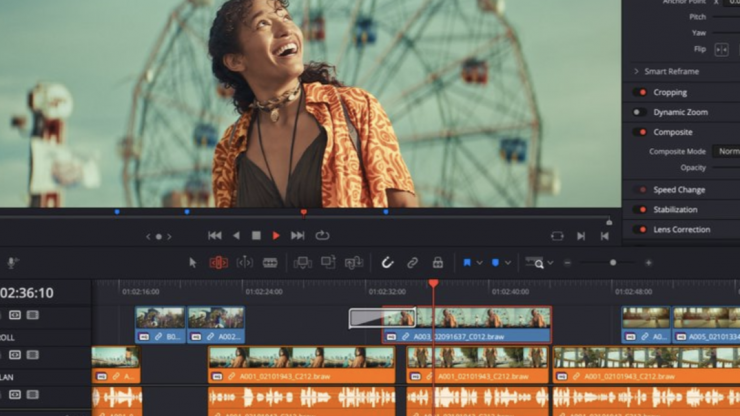
DaVinci Resolve 21.0.1 Released: Better Stability, Smother Timelines, and Essential Fixes
Blackmagic Design has officially rolled out the DaVinci Resolve 21.0.1 update. While this isn't a massive feature-drop update, it is an incredibly crucial patch aimed entirely at stability, workflow optimization, and squashing some of the most annoying bugs reported in the initial v21 release.
If you’ve been experiencing weird timeline lags, color shifts during HDR exports, or disappearing keyframes in Fusion, this update is specifically built for you.
Here is a breakdown of everything that is new, improved, and fixed in DaVinci Resolve 21.0.1.
1. Smarter AI & Transcription Upgrades
Blackmagic continues to fine-tune its DaVinci Neural Engine. This update brings two major quality-of-life improvements for editor workflows:
Localized Transcription: The auto-transcription tool now strictly honors your project settings' language, preventing it from defaulting to the wrong language during audio analysis.
Better Face Recognition: The IntelliSearch feature has received an accuracy boost, making it much faster and more precise at identifying and sorting faces across large batches of media.
2. Crucial Fusion & Edit Page Fixes
For power users and motion designers, v21.0.1 resolves a few frustrating timeline bugs:
The Fusion Keyframe Bug: Fixed a major issue where copying clips with Fusion effects wouldn't retain their keyframes, or failed to refresh properly on the Edit page.
UI & Dual Screens: If you work on a dual-monitor setup, the layout display issues in Fusion have been resolved. Saturation limits in the gradient controls have also been fixed.
Ease Controls: The sensitivity and display graph of the ease controls have been tweaked for smoother curve editing.
3. Color Management & Expanded Format Support
Colorists will notice much better consistency across different source materials and final outputs:
New Camera Support: Added native support for Sony Alpha 7R VI ARW RAW stills and decoding for Affinity RGB 16-bit formats.
HDR Render Fixes: Addressed prominent color-shifting bugs when rendering H.265 HDR videos using both Windows native encoders and MainConcept.
RAW Fixes: Multiple color translation issues regarding Apple ProRAW and DNG formats have been patched.
4. UI Organization & Media Management
Keeping your project library clean just got a little easier:
Exported bins will now properly retain their generator and title properties.
Smart Bins will now update instantly without breaking after you delete keywords.
Linking multiple audio files in the Media Management tab has been stabilized.
5. System Performance & Stability (Say Goodbye to Lag)
If your system was stuttering during heavy grading sessions, this update brings immediate relief:
No More Bypass Lag: The annoying delay/lag when toggling "Bypass Grades and Fusion Effects" on and off has been fixed.
Smooth Project Manager: Scroll lag when navigating through massive project libraries has been optimized.
Crash Fixes: A critical crash issue involving CineFocus has been patched, alongside general stability boosts for Linux users handling non-English locales.
Full List: -
Addressed issue with automatic smart bins after deleting keywords.
Addressed issue with multiple linked audio in media management.
Addressed multiple Resolve FX issues in photo page.
Addressed issue with key shortcut to switch viewer in photo page.
More consistent creation of new photo albums.
Addressed color thumbnail refresh for photo transform indicator.
Transcription now honors project settings language.
Improved face recognition in IntelliSearch.
Addressed exported bins not retaining generator and title properties.
Addressed ease control display and sensitivity issues.
Addressed keyframe issue when copying clips with Fusion effects.
Addressed keyframe refresh for Fusion effects in the edit page.
Addressed issue with 3D renders in Linux with non-English locales.
Addressed Fusion viewer color issue for some RCM settings.
Addressed issue with saturation limits in Fusion gradient controls.
Addressed Fusion display issues with dual screen layouts.
Addressed issue with non-English character inputs in Linux.
Disabling MultiMaster now disables trim blanking controls.
Addressed crash in some scenarios with CineFocus.
Addressed lag when toggling bypass grades and Fusion effects.
Addressed occasional issue with Fairlight loudness meters.
Addressed data burn display of good take tag in upgraded projects.
Addressed project manager scroll lag for large project libraries.
Support for Sony Alpha 7R VI ARW RAW stills.
Support for decoding Affinity RGB 16-bit formats.
Addressed a color issue with MainConcept H.265 HDR renders.
Addressed a color issue with Windows native H.265 HDR renders.
RemoveMotionBlur API now uses correct encode parameters.
Addressed character limit consistency in GenerateSpeech API.
General performance and stability improvements.
Addressed multiple DNG and Apple ProRAW color issues.
The Verdict: Should You Update?
Absolutely. While DaVinci Resolve 21.0.1 doesn’t introduce flashy new AI tools, it patches up the structural cracks of the initial v21 release. If you want a more stable timeline, predictable keyframes, and faster performance without unexpected crashes, head over to the Blackmagic Design support page and download the update today.
Have you installed v21.0.1 yet? Let us know if you notice a speed boost in your rendering timelines!